
Stickers for a LEGO spaceship build
Three sheets for the inside of a spacecraft: control panels for the bridge and the cockpit, and working screens for everything behind them. Every design is drawn to sit on a standard tile, so a flat grey bulkhead becomes an instrument wall in an afternoon.
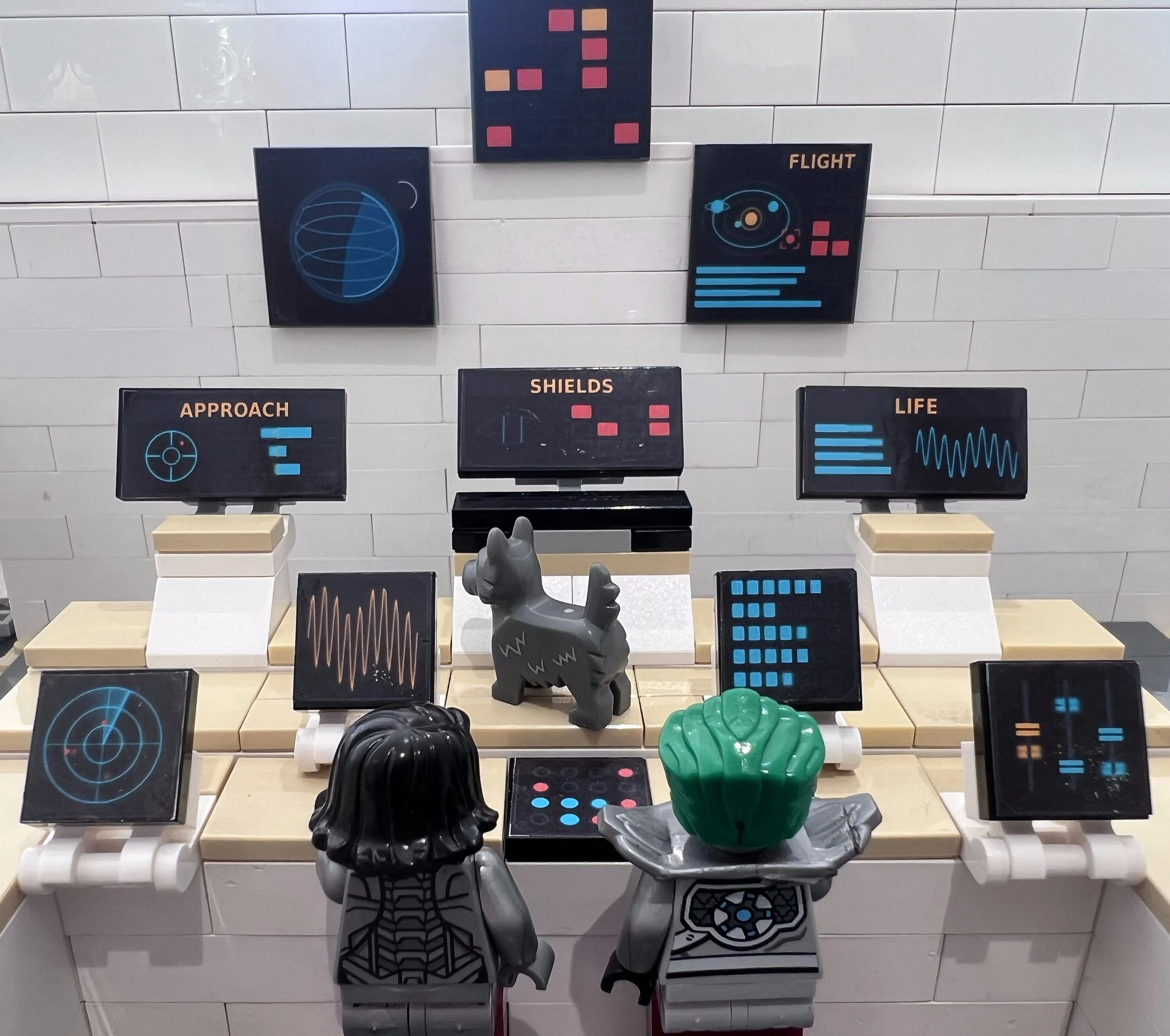
Control panels for the bridge and the cockpit
Two sheets, sixty-six designs each, one of each and no repeats. Between them they cover the big surfaces and the small gaps: hero panels at 4x4 tile size for a back wall, wide consoles at 2x4 for the desks, square instruments and readouts at 2x2, long strips and corridor rails at 1x4, and small placards and labels at 1x2.
A bridge wants sixty-six different instruments rather than two of everything, which is why these are variety sheets rather than themed sets with spares. One sheet fits out a whole wall.
Two eras, and why they are two sheets
The Deep Space Edition is the modern half: emissive screens on near black, chamfered geometry, tick scales and status lamps. The Retro Edition is the Apollo half: dials and tape meters rather than screens, black instrument faces on light panels, grouping boxes with the name breaking the top line, switches that name both states, and a guidance computer with its VERB and NOUN displays.
They share the same geometry, so they sit together on one wall if you want both eras. Most builders want one or the other, which is why we would rather not sell you a sheet you will not use.
Screens and displays for everything else
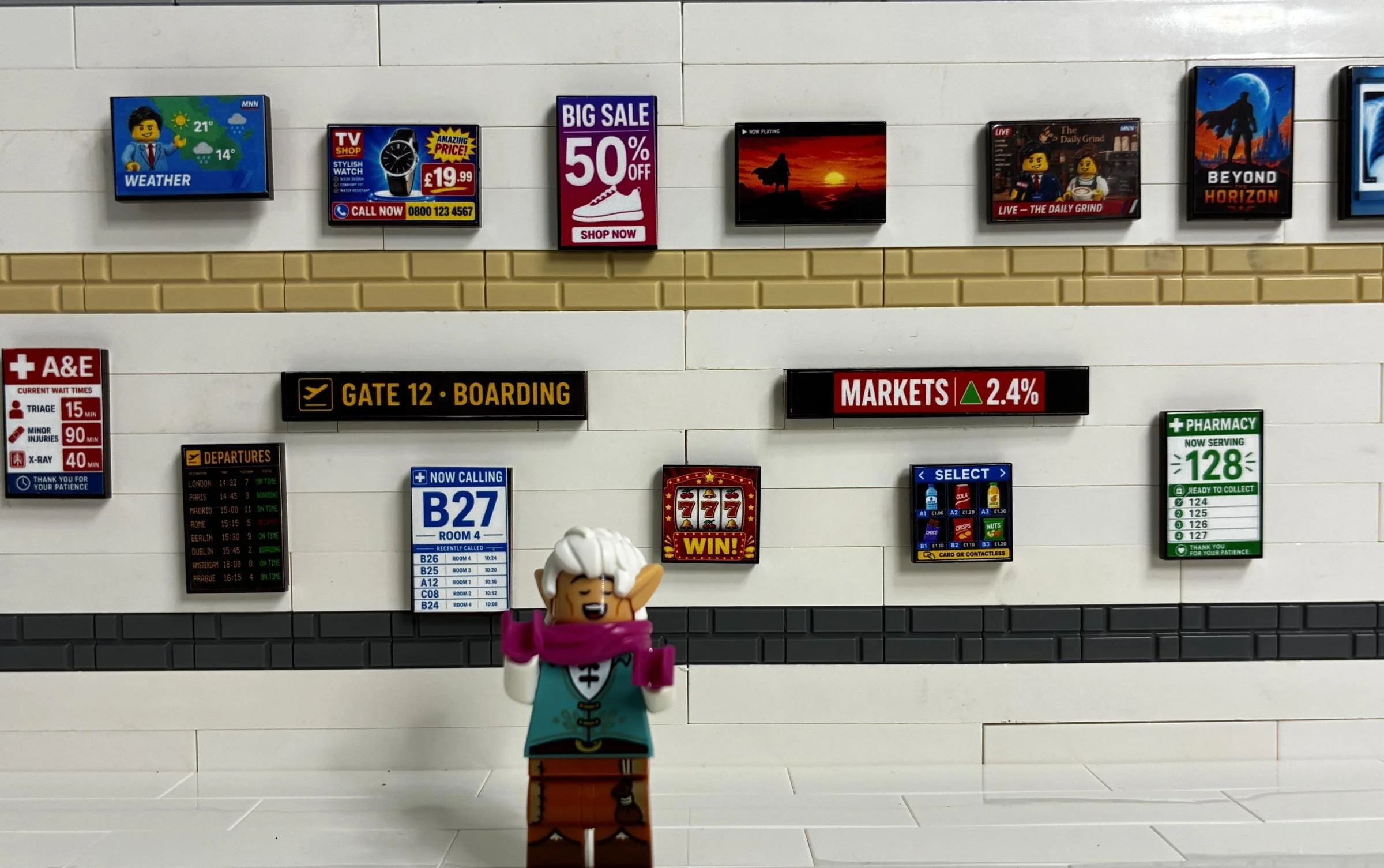
Fifty-six working displays on one sheet, again one of each. Monitors, televisions, departure boards, hospital screens and readouts that suit any interior rather than one theme. On a space build they fill the screens a control panel sheet deliberately leaves alone: the crew quarters, the docking bay, the corridor, the station concourse.
Space stations, sci-fi interiors and what else these suit
A sci-fi MOC does not have to be a ship. The same sheets fit a space station concourse, a mission control room, a research base or a hangar. They work just as happily on model railway scenery, a wargames table or a diorama as they do on a brick-built bulkhead.
Where to start, and what to buy first
If you are building one scene, start with the control panel sheet that matches your era. It will carry the whole wall on its own.
If you are building a station rather than a ship, start with the screens sheet. It covers the public spaces and it is the cheapest of the three.
And if you are building both a bridge and the rooms behind it, take one control panel sheet and the screens sheet together. That pair covers a whole interior without repeating a single design.
What makes these different
Every design on these sheets is drawn in code rather than generated, which is why the type stays crisp at fifteen millimetres and why no two panels are quite the same instrument.
The retro sheet was built from photographs of real Apollo hardware, and the details that look invented are usually the real ones. On the guidance computer a two-digit verb told it what to do and a two-digit noun told it what to do it to. The lunar contact light really was blue.
How the stickers work
Printed on white-backed vinyl in the UK and posted flat as A4 sheets. The stickers are not pre-cut: you cut each one out yourself with scissors or a craft knife, with a fine crop mark at each corner to cut to, and that is what lets us fit sixty-six designs on a sheet at this price.
Each design is sized a fraction under its tile so it sits inside the edge rather than curling over it. Use black tiles for the Deep Space Edition and light bluish grey for the Retro Edition: matching the tile to the artwork means a cut that wanders a hair never shows.
If the thing you need does not exist
Tell us. We draw custom LEGO stickers to order, for a ship, a station, or a single panel that has to read a particular way.
LEGO® is a trademark of the LEGO Group, which does not sponsor, authorise or endorse these products. These are not LEGO® products.
Sixty-six retro control panel designs on a single A4 sheet, drawn from photographs of real Apollo-era hardware. Dials and tape meters rather than screens, black instrument faces on light panels, grouping boxes with the name breaking the top line, switches that name both states, and a guidance computer with its VERB and NOUN displays.
If you have wondered what VERB and NOUN are: on the real Apollo guidance computer, a two-digit verb told it what to do and a two-digit noun told it what to do it to. It is a genuine oddity and we kept it, because the details that look invented are usually the ones that are real.
These are made for building bricks generally, not for one system, and the vinyl works equally well on model railway scenery, a wargames table or a diorama.
What is on the sheet
Sixty-six designs, one of each, no repeats.
3 large panels for a back wall, at 4×4 tile size, including the guidance computer and a caution and warning matrix
12 instrument consoles at 2×4 tile size
21 individual instruments at 2×2 tile size
9 breaker rows and indicator strips at 1×4 tile size
21 placards at 1×2 tile size, split between red for caution and blue for status
Every design was drawn entirely in code rather than generated.
Which tiles to use
Use light bluish grey tiles. The panel artwork is tuned to that colour, so the tile disappears behind the instrument and the wall reads as a real console. As with any of our sheets, if your cut wanders, cut just inside the line rather than outside it.
Sold separately on purpose
This is the retro half of the range and the Deep Space Edition is the modern half. They share the same geometry, so they sit together on one wall if you want both eras, but most builders want one or the other and we would rather not sell you a sheet you will not use.
How it arrives
One A4 sheet of printed vinyl, posted flat. The stickers are not pre-cut. You cut each one out yourself with scissors or a craft knife. Each design is sized to its tile, with a fine crop mark at each corner to cut to.
Compatible with LEGO® and other leading building-brick systems.
LEGO® is a trademark of the LEGO Group, which does not sponsor, authorise or endorse this product. This is not a LEGO® product.